

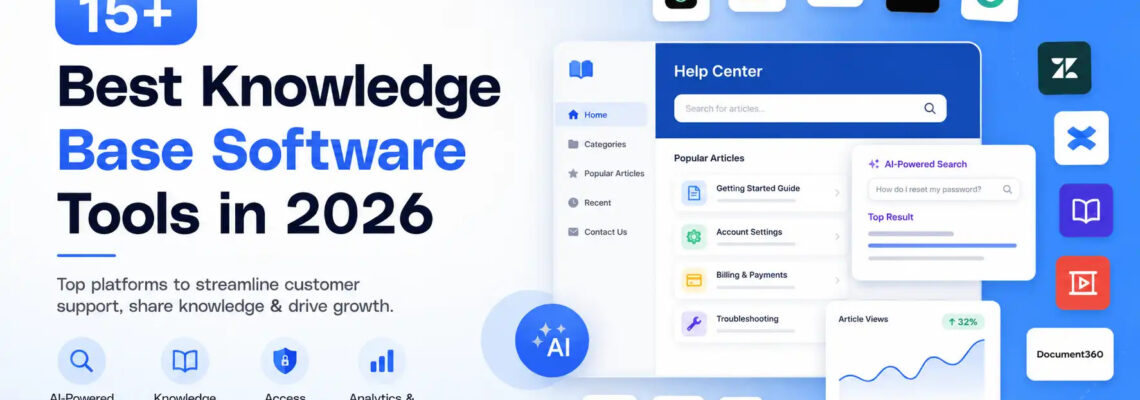
Knowledge Base Software: Complete Guide to Smarter Knowledge Management
- August 11, 2026
- 0 Likes
- 143 Views
- 0 Comments
In today’s digital workplace, businesses need more than folders filled with documents to manage information. Knowledge base software provides a centralized way to create, organize, store, and share valuable knowledge across teams and customers. From FAQs and product documentation to troubleshooting guides and internal processes, it makes important information easier to find and use.
Modern platforms are also becoming more intelligent. Features such as AI-powered search, automation, analytics, access controls, and integrations can help businesses improve customer support, reduce repetitive questions, and give employees faster access to reliable information.
What Is Knowledge Base Software?
Knowledge base software is a platform that helps organizations create and manage a centralized collection of information. It can contain articles, FAQs, tutorials, how-to guides, technical documentation, policies, and troubleshooting instructions.
A knowledge base may be designed for internal employees, external customers, or both. For customer-facing teams, it can provide self-service resources that help users find answers without contacting an agent. Internally, it can give employees quick access to company processes, product information, and technical documentation.
The goal is simple: put the right information in the right place so people can find answers quickly.
How Knowledge Base Software Helps Customer Support
One of the biggest benefits of knowledge base software is its ability to improve customer support.
Instead of asking support agents the same questions repeatedly, customers can search a help center for answers. Articles can explain common problems, product features, account processes, and troubleshooting steps.
This self-service approach can:
- Reduce repetitive support requests
- Help customers find answers faster
- Improve response times
- Give support agents reliable documentation
- Create more consistent answers
- Make frequently requested information available 24/7
Support teams can also turn recurring customer questions into new knowledge articles. Over time, this creates a stronger knowledge library based on real customer needs.
AI-Powered Search Makes Knowledge Easier to Find
Traditional keyword search requires users to type the exact words contained in an article. AI-powered search takes a more intelligent approach by understanding the intent behind a question.
For example, instead of searching for “password reset procedure,” an employee might ask, “How can I regain access to my account?” An AI-powered system can understand the relationship between the question and relevant documentation.
Modern knowledge platforms can use natural-language processing and semantic search to surface useful information even when the user’s wording does not exactly match the content.
This makes knowledge base software particularly valuable for organizations with large amounts of documentation.
Knowledge Management and Centralized Information
Effective knowledge management is about more than simply storing information. Businesses need processes for creating, reviewing, updating, organizing, and distributing knowledge.
A centralized knowledge base can help teams maintain information about:
- Products and services
- Company policies
- Employee onboarding
- Standard operating procedures
- Technical documentation
- Customer FAQs
- Troubleshooting processes
- Security procedures
- Internal workflows
Without a structured system, valuable information can become scattered across email, chat applications, shared drives, and individual documents.
Knowledge base software brings this information together and creates a more reliable source of truth.
Connecting Knowledge With Task Management Software
Knowledge becomes even more useful when it connects with daily work. Integrating a knowledge platform with task management software allows teams to turn information gaps into actionable tasks.
For example, analytics may reveal that customers frequently search for a topic that does not have a useful article. A support manager can create a task for the documentation team to write or update the relevant content.
Similarly, an outdated technical procedure can be assigned to the appropriate employee for review.
This creates a continuous cycle:
Identify → Create → Review → Update → Measure
As a result, knowledge management becomes an ongoing business process rather than a one-time documentation project.
Supporting Incident Response
Technical and IT teams can use knowledge bases to improve incident response. During an outage or technical problem, employees need immediate access to accurate procedures and troubleshooting information.
A well-organized knowledge base can contain:
- Incident response procedures
- Troubleshooting guides
- System recovery steps
- Escalation procedures
- Previous incident documentation
- Frequently encountered technical problems
- Post-incident lessons
Maintaining a documented track record of previous incidents can also help teams recognize recurring problems and improve future response processes.
When every minute matters, having the right information available can make incident handling more organized and efficient.
Access Controls and Security
Not every piece of business information should be accessible to everyone. Access controls are therefore an important feature of modern knowledge base software.
Administrators can use permissions to determine who can view, edit, publish, or manage specific content.
For example, public customer documentation can be available to everyone, while sensitive internal procedures can be restricted to authorized employees.
Organizations should consider features such as:
- User and group permissions
- Role-based access
- Private internal content
- Authentication options
- Content approval workflows
- Audit trails and version history
Strong access controls help organizations protect sensitive information while still making useful knowledge easy to access.
Jira Service Management and Knowledge Bases
For IT and software teams, integrating documentation with service management workflows can make knowledge much more useful. Jira Service Management, for example, can be connected with knowledge resources so support and technical teams can access relevant documentation while handling requests and incidents.
This type of integration can help teams connect:
Issues → Documentation → Solutions → Future Self-Service
When a support agent repeatedly solves the same problem, the solution can become documented knowledge. Future users and agents can then find that information instead of starting from scratch.
Analytics and Reporting
Simply creating hundreds of articles does not guarantee that a knowledge base is useful. Businesses need to understand how people interact with their content.
Analytics and reporting can reveal:
- Most-viewed articles
- Popular search queries
- Searches with no results
- Frequently accessed topics
- Outdated content
- Content engagement
- Customer self-service activity
For example, if hundreds of users search for a question but find no relevant article, that is a clear opportunity to create new documentation.
Analytics therefore turns knowledge management into a measurable improvement process.
Key Benefits of Knowledge Base Software
A well-designed knowledge base software solution can provide benefits across an organization.
Faster Access to Information
Employees and customers can find answers without waiting for another person to respond.
Better Customer Support
Self-service resources reduce repetitive questions and give support teams a reliable source of information.
Improved Employee Productivity
Employees spend less time searching through scattered documents or asking colleagues for information.
Consistent Information
Centralized documentation helps teams provide consistent answers and follow standardized procedures.
Better Knowledge Management
Organizations can create a structured system for capturing, maintaining, and sharing institutional knowledge.
Continuous Improvement
Analytics, feedback, and content reviews help businesses identify gaps and keep their documentation relevant.
What to Look for in Knowledge Base Software
When choosing a platform, businesses should consider their specific requirements. Important capabilities may include:
- Easy content creation and editing
- AI-powered search
- Knowledge management features
- Analytics and reporting
- Access controls
- Version history
- Content approval workflows
- Customer self-service portals
- Integrations with support and project tools
- Automation capabilities
- Mobile accessibility
- Security and compliance features
The right solution depends on whether the primary goal is customer self-service, internal documentation, technical knowledge management, or a combination of these needs.
Final Thoughts
Knowledge base software has evolved from a simple document repository into an important part of modern customer support and knowledge management. With AI-powered search, analytics and reporting, access controls, integrations, and automation, businesses can make information easier to discover and maintain.
Whether you need to improve customer self-service, support incident response, organize internal documentation, or connect knowledge with task management software, a centralized knowledge base can provide a scalable foundation.
The most effective approach is not simply to create more content. It is to create useful, accurate, accessible, and continuously updated knowledge that helps both employees and customers find the answers they need.
